Image best practices

Best Practices for Using Images on Websites
Images play a major role in modern web design. They help communicate information faster, improve visual appeal, support branding, and can even increase engagement and conversions. However, poorly optimised images can slow down a website and negatively impact user experience and SEO.
This guide explains the best practices for using images on websites, including when to use JPEGs vs PNGs, image optimisation techniques, responsive images, and performance considerations.
Why Image Optimisation Matters
Website performance is one of the most important factors for both users and search engines. Large or unoptimised images are often the biggest cause of slow page load times.
Optimised images help to:
- Improve website speed
- Reduce bandwidth usage
- Improve SEO rankings
- Enhance user experience
- Increase mobile performance
- Reduce hosting and CDN costs
Even visually stunning websites can feel slow if images are not handled correctly.
Choosing the Right Image Format
Selecting the correct image format is one of the most important decisions when adding images to a website.
When to Use JPEG
JPEG (or JPG) is best for photographic images and complex visuals with many colours.
Best Uses for JPEGs
- Photography
- Blog feature images
- Hero banners
- Product photography
- Background images
- Real-world imagery
Advantages of JPEGs
- Smaller file sizes
- Compression options
- Faster loading times
Disadvantages of JPEGs
- Lossy compression can reduce quality
- No transparency support
- Repeated editing can degrade image quality
JPEG Best Practice
Export JPEGs at around 70–85% quality for a good balance between visual quality and file size.
When to Use PNG
PNG is best for graphics that require transparency or very sharp edges.
Best Uses for PNGs
- Logos
- Icons
- UI elements
- Screenshots
- Graphics with text
- Transparent images
Advantages of PNGs
- Supports transparency
- Crisp image quality
- Lossless compression
- Ideal for sharp graphics
Disadvantages of PNGs
- Larger file sizes
- Slower loading if overused
PNG Best Practice
Only use PNGs when transparency or sharp graphical detail is required. Avoid using PNG for large photographic images.
Image Optimisation
- To optimise Images, use compressor.io, or
- Alternatively, use tinypng
When to Use SVG
SVG files are vector-based and scale perfectly at any resolution.
Best Uses for SVG
- Logos
- Icons
- Simple illustrations
- UI graphics
Advantages of SVG
- Tiny file sizes
- Infinite scaling
- Crisp on Retina displays
- Editable with CSS
Avoid SVG For
- Complex photography
- Large illustrations with heavy detail
SVG Optimisation and Sanitization
- To optimise SVGs, use SVGOMG
- Once optimised, then sanitise using svg.enshrined
Image Sizes
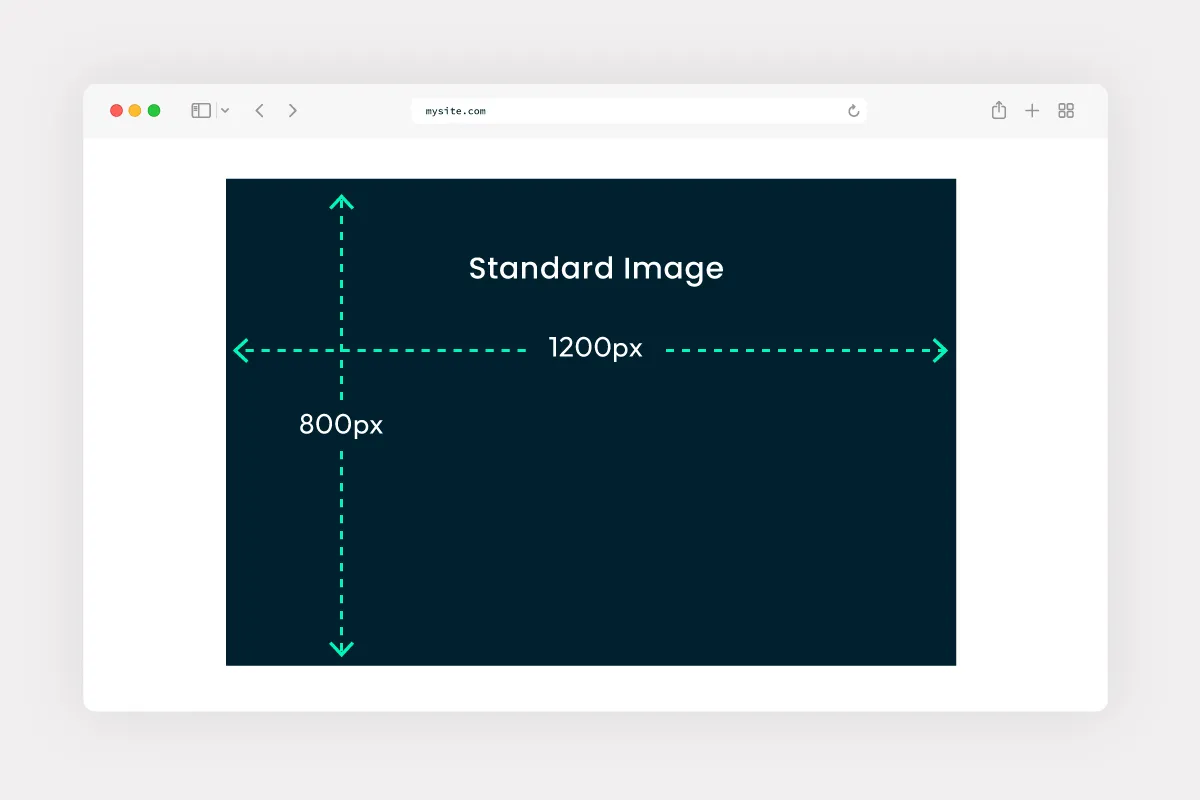
While there is no exact science for best sizing images, I generally tend to stick with:
1200px wide x 800px high(this being a ratio of 6:4) for most images
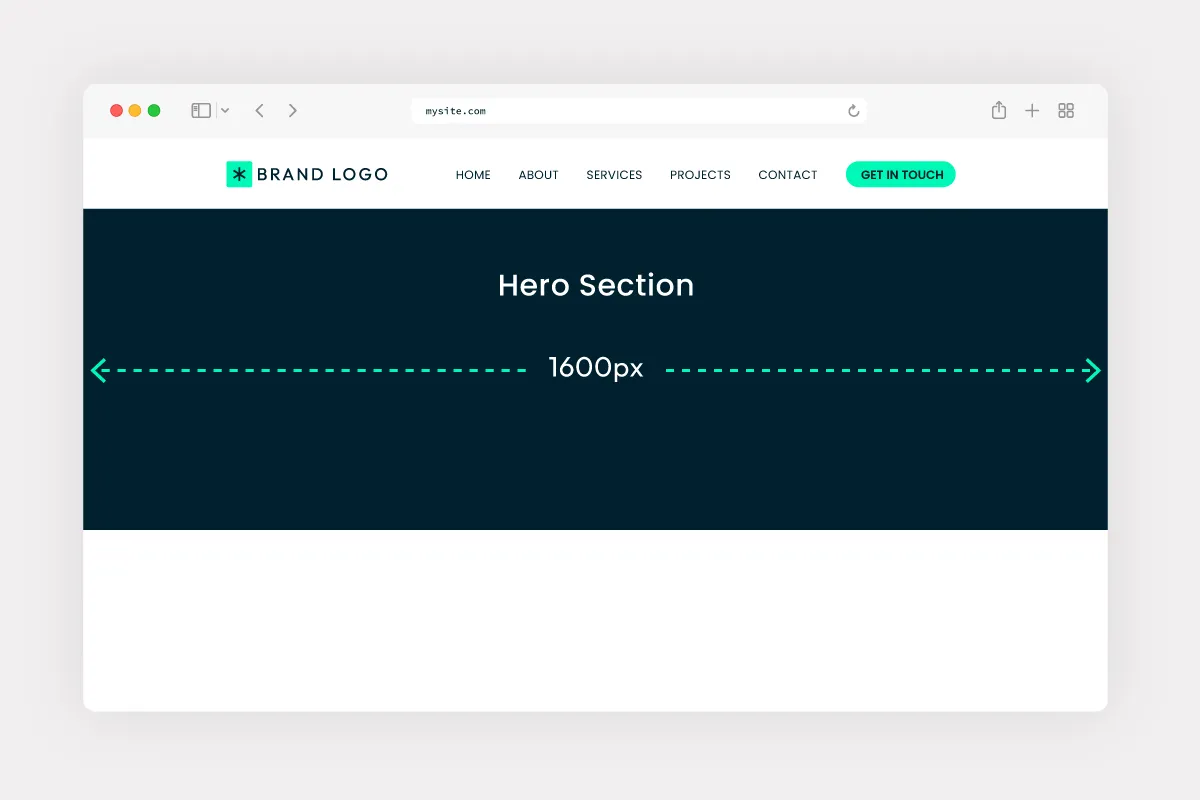
1600px wide x whatever heightfor full width hero images
But its best to make them only as large as you think they’ll be responsively, for example, on desktop, the image may only be a half column (say 552px wide), but on tablet it could be full width (712px), so make the image the full width tablet size, rather than the smaller desktop size.
And there is no need to export JPEGs at 2x, that’s really only necessary for PNGs eg. logos, icons.
File Naming
Image file names can help search engines better understand the content of an image. While file naming alone will not dramatically improve rankings, it does contribute to overall image SEO and accessibility.
A good file naming strategy also helps keep media libraries organised and easier to manage.
Why Image File Names Matter
Search engines cannot fully “see” images in the same way humans do. They rely on supporting information such as:
- File names
- Alt text
- Surrounding page content
- Captions
- Structured data
A descriptive file name provides additional context about the image content.
Use Descriptive Keywords
File names should clearly describe the image.
Good Examples
- project-modern-office-interior.jpg
- home-hero-office-interior.jpg
- home-hero-office-style.jpg
Bad Examples
- IMG_4837.jpg
- image-final-v2.png
- creenshot123.jpg
For SEO
- just use dashes to separate filename terms
- don’t include ambiguous text like ‘img’ on filenames.